Sales Tools
Sales tools do not fix broken sales processes.
They amplify whatever system you already have.
If your workflow is unclear, tools create noise.
If ownership is weak, tools create confusion.
If measurement is inconsistent, tools create misleading dashboards.
This hub is not about listing software.
It is about building a connected sales tooling system that supports execution, visibility, and predictable growth.
If you're new to the SalesOpsCoach framework, start with the full system overview:
👉 How to Increase Sales – The Sales Operations System
The Sales Tooling System
Strong sales organizations treat tools as part of a system with four layers:
1. Selection → 2. Implementation → 3. Adoption → 4. Reporting
When one layer is weak, the stack underperforms.
Layer 1: Selection (Fit Before Features)
Most companies choose tools based on features.
High-performing teams choose tools based on:
- Sales process complexity
- Team size and structure
- Data model requirements
- Integration needs
- Budget and admin capacity
- Time-to-value expectations
Before buying anything, define:
- What must be measured
- What behaviors must be reinforced
- What workflows must be standardized
Start with the landscape:
Understand what a CRM actually enables:
If you are running a smaller team and need simplicity:
Layer 2: Implementation (From Tool to Workflow)
Buying software is easy.
Operationalizing it is not.
Effective implementation requires:
- Mapping your sales stages to CRM structure
- Defining required fields and activity standards
- Establishing data ownership
- Building integrations deliberately
- Setting launch criteria and QA checks
Tools should reflect your process — not replace it.
If your stages are unclear, start here:
If governance and ownership are undefined:
Layer 3: Adoption (Behavior Before Automation)
Most tool failures are not technical.
They are behavioral.
Adoption requires:
- Role-based onboarding
- Manager inspection rhythm
- Clear expectations for data hygiene
- Defined ownership for admin changes
- Regular review cadence
Tools reinforce discipline.
They do not create it.
Execution quality still depends on:
Layer 4: Reporting (From Data to Decisions)
Dashboards do not improve performance.
Decisions do.
A strong reporting layer connects:
- Leading indicators (activity, conversion by stage)
- Lagging indicators (win rate, revenue, cycle length)
- Forecast accuracy
- Pipeline health
If reporting is unclear or reactive:
Your CRM and analytics tools should support measurable decisions, not just visibility.
The AI Layer (Overlay Across All Four Layers)
AI is not a separate system.
It is an acceleration layer.
AI can assist with:
- Data enrichment
- Lead prioritization
- Forecasting support
- Conversation insights
- Coaching signals
- Workflow automation
But AI depends on:
- Clean data
- Clear stage definitions
- Defined KPIs
- Strong governance
Without system discipline, AI amplifies noise.
Explore applied AI use cases:
Start With Your Bottleneck
If you are unsure where to begin:
“We don’t know what tools we need.”
Start with the category overview.
“Our CRM feels chaotic.”
Review CRM structure and process alignment.
“Reps are not using the system.”
Focus on adoption and manager inspection cadence.
“Dashboards exist but don’t drive action.”
Strengthen KPI design and reporting rhythm.
Improve one layer at a time.
Tools Support the System — They Don’t Replace It
Sales Tools connect the other pillars:
- Sales Process defines workflow.
- Sales Skills define execution quality.
- Sales Performance defines measurement.
- Sales Operations defines governance.
Tools enable all four.
When aligned, technology becomes leverage.
When misaligned, it becomes friction.
Build deliberately.
Measure consistently.
Automate responsibly.
Next read
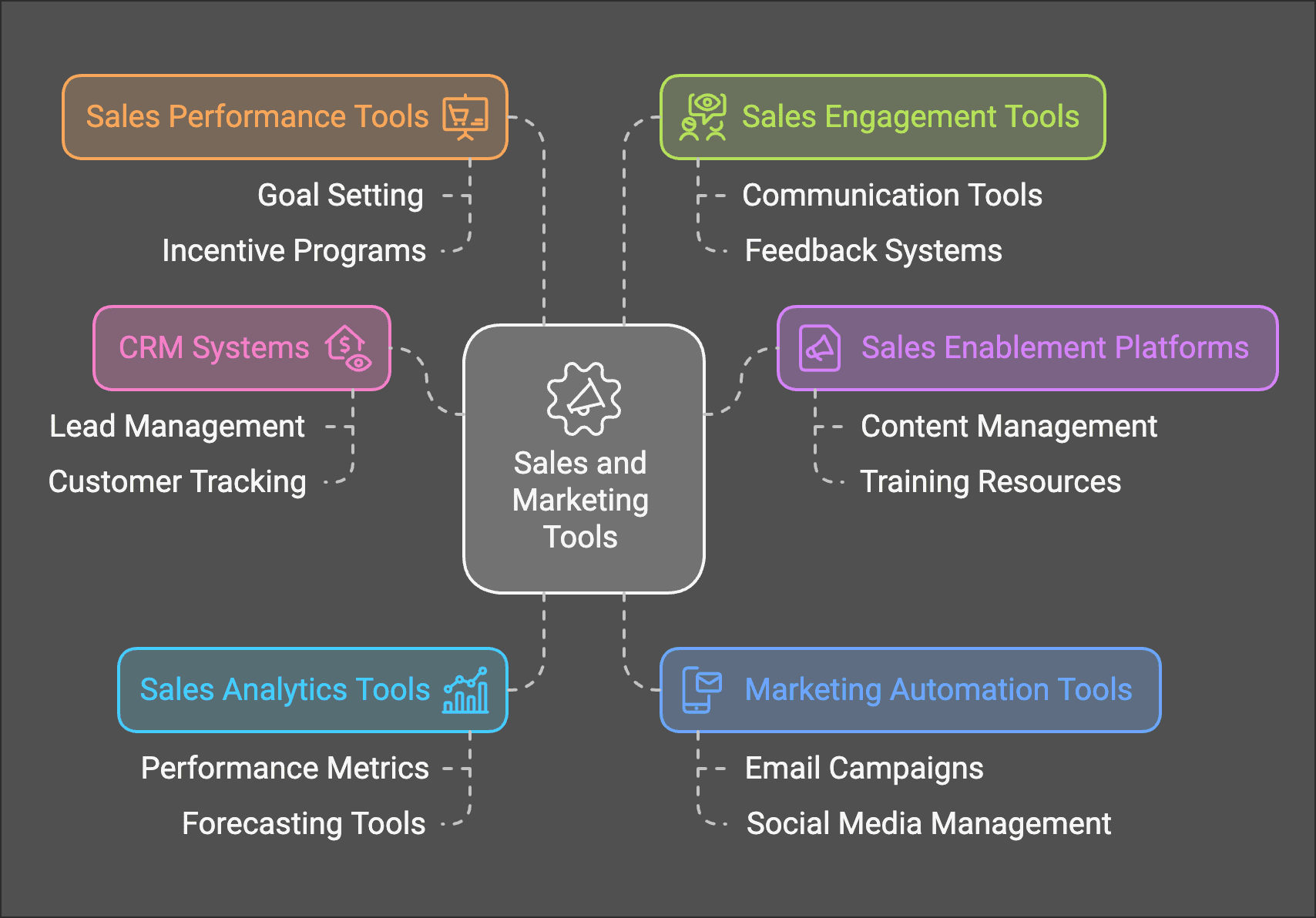
Sales and marketing tools help you improve productivity and drive more sales.
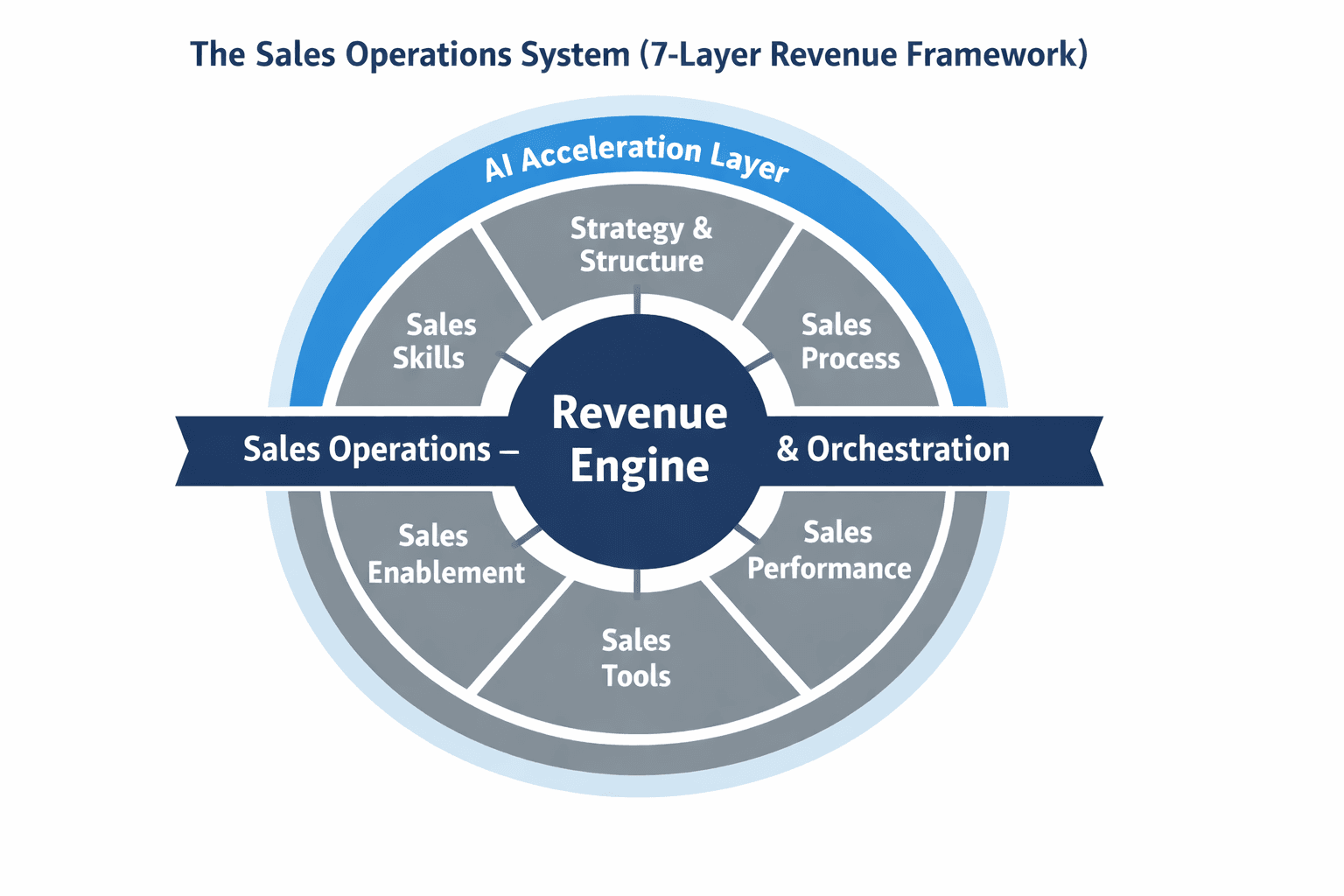
Learn what Sales Operations really is and how to build a practical Sales Operations System that ali…
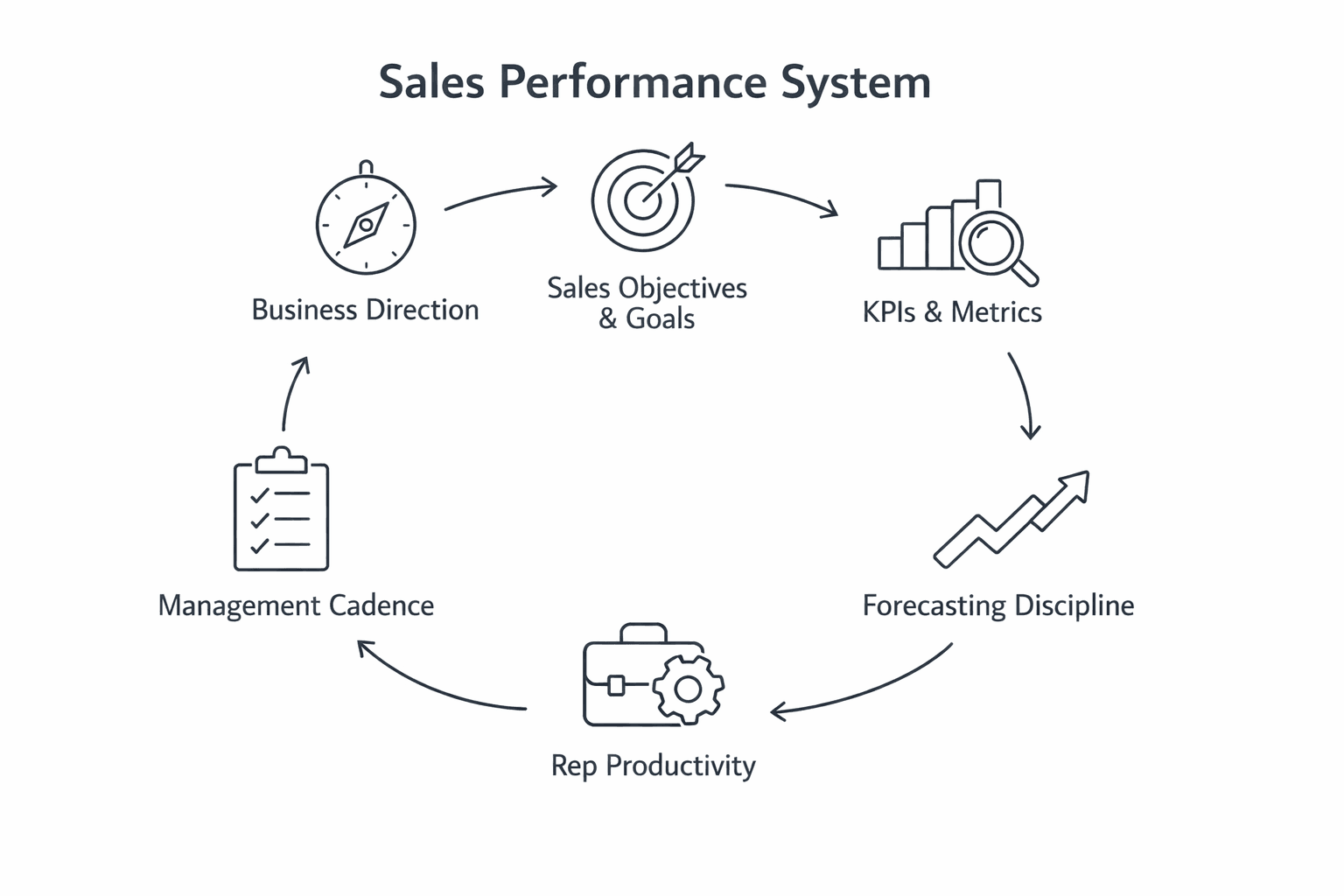
Improve sales performance with clear goals, meaningful KPIs, reliable forecasting, and structured m…